
Home/Manga downloader
The self-hosted manga downloader with a reader built in
Uchiyomi follows the series you choose and downloads new chapters by itself, as CBZ files you keep. It is the Sonarr idea for manga, with the library server and the reader in the same app, so there is no stack of tools to wire together.
How it works
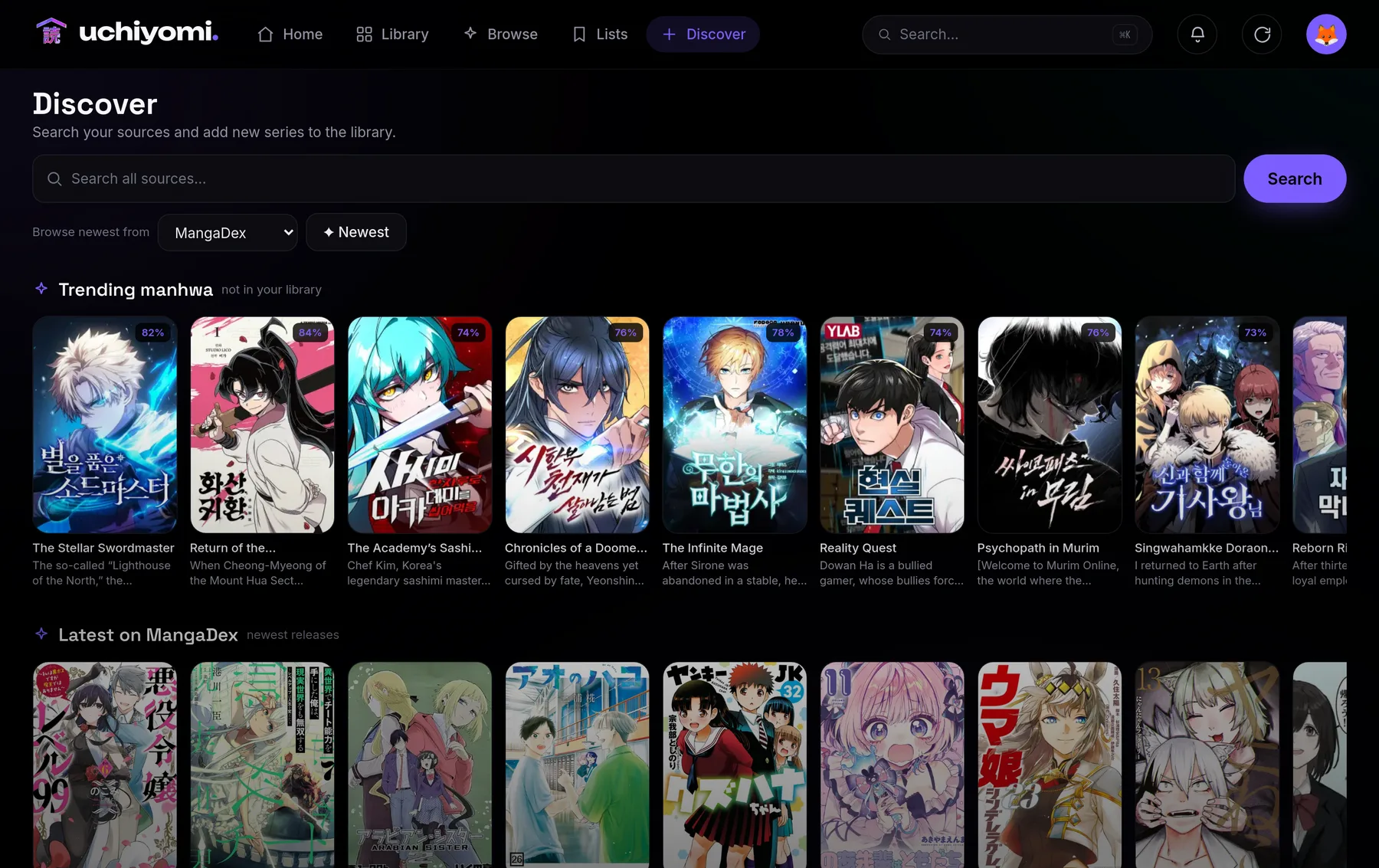
- Follow a series. Find it in Discover, search every source at once, or paste a site’s address. Any chapter can be read before you decide.
- It downloads what is out. Each chapter becomes a
.cbzwith aComicInfo.xmlinside (series, number, title and the scanlation group), in a downloads folder of its own, next to your library rather than inside it. Library → Downloads shows everything coming in, whoever started it. - It watches for new chapters. A scheduled check asks each followed series’ sources for new chapters, every six hours by default, and downloads them. A push notification, or a message to a webhook, ntfy, Discord or Home Assistant, says what arrived.
Your own library is read-only to it unless you give it the files’ owner, so following a series never touches the manga you already have.
Where chapters come from
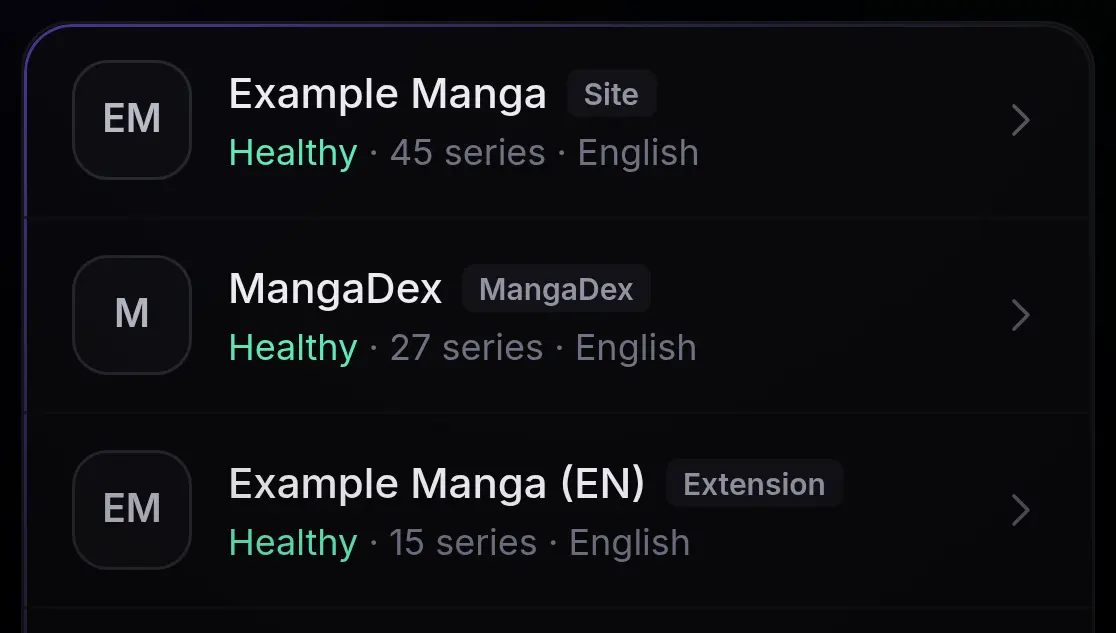
- Mihon and Tachiyomi extensions from a repository you add, the same one you use in Mihon. They run in a bundled engine, Suwayomi-Server, that you never have to open. More on running Mihon extensions on a server →
- Sites you paste: built-in engines for the common manga-site families (Madara, MangaThemesia, Manganato), detected from the address.
- MangaDex, through its official public API, in the languages you switch on.
Uchiyomi hosts no sources and ships no extensions, and nothing is enabled until you choose it. What you enable is your call, under those sites’ terms and your local law.
Choosing the translation
The same chapter often exists in several scanlations. Uchiyomi lets you prefer or block scanlation groups for the whole server or for one series, wait a day or two for the group you like, and, if you switch it on, upgrade to that group’s release when it turns up after another’s. You can see every version of a chapter and fetch a specific one, and the group is written into the file.
When sources fail
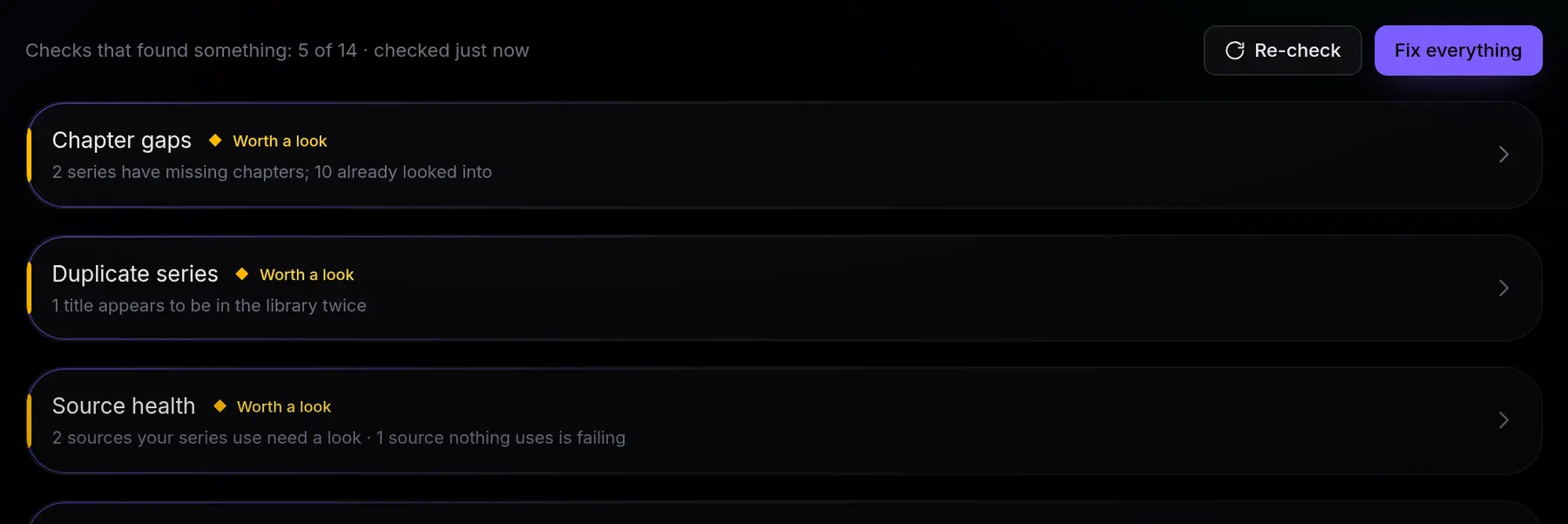
Manga sites go down, rate-limit, move and change their layout. A downloader that only works on a good day is not much of one, so most of Uchiyomi’s fetching code is about the bad days:
- Partial chapters are kept. A chapter missing a few pages is saved with placeholders and repaired overnight, rather than thrown away and fetched again.
- A series can follow several sources. When a chapter will not come down, the other copies and other sources are tried before it gives up; Replace a source moves a dead site’s series to one that works, after you have checked each match.
- Each source checks itself, step by step: search, chapter list, page list, images. Test all runs every one, a site that says it is offline is told apart from a broken one, and the admin bar turns amber or red when something needs you.
- A backup Cloudflare solver. FlareSolverr, Byparr or trawl; a second solver takes a site over when the first one fails, and a busy solver is never mistaken for a broken site.
- It slows down instead of hammering. A site that answers
429is given a rest, not more requests. - No double downloads. A second site that splits a chapter into parts differently is recognised, and the hiatus or announcement posts some sites number as chapters can be left out.
What comes next, and when
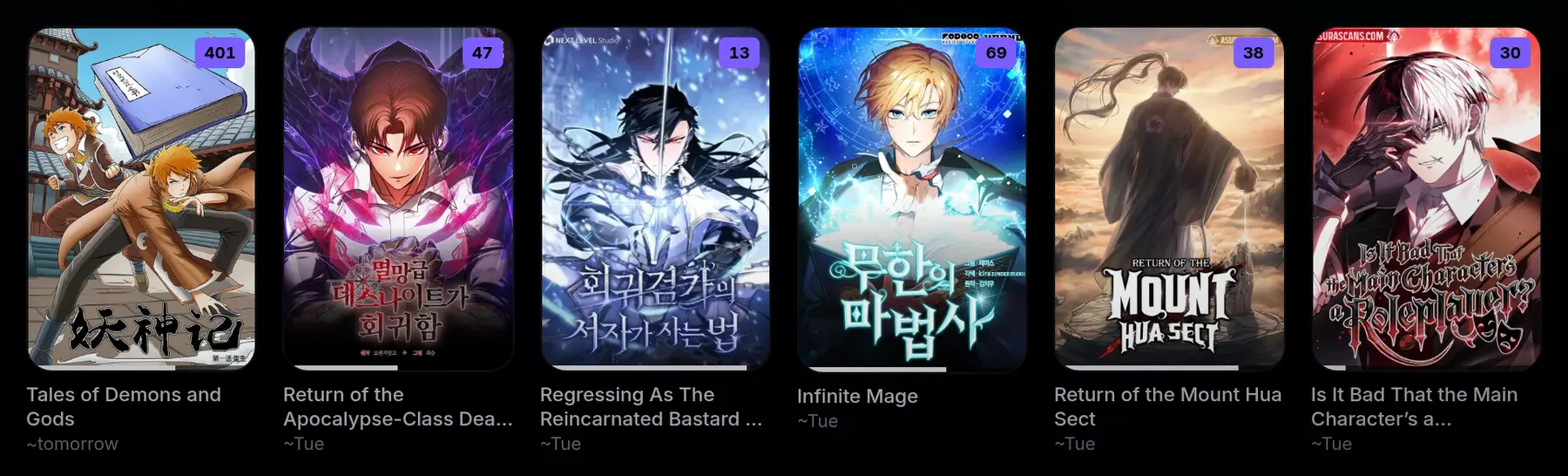
The release radar estimates when each series’ next chapter is likely, from when its chapters usually arrive: ~Friday, usually Fridays, running late. An Expected this week list sits on the Updates page, and the Library can sort by what is releasing soonest.
With smart update checks switched on, series that have been quiet for a long time are asked less often, at least every three days, while a series whose chapter is due is asked as usual. On a real library that cut the requests to the sites by about half. Chapters the sources list but your disk lacks show as grey rows you can select and fetch.
Back catalogues, gently
Following a series with hundreds of chapters does not have to mean hundreds of requests at once. The slow archive fetches a back catalogue a chapter at a time over nights or days, with the pauses of someone reading, only in the hours you allow and only while the disk has the space you set aside. It survives restarts, and archived chapters never count as new ones.
As the downloader for Komga or Kavita
If you are happy with your library server and only want the downloading, that works too. Uchiyomi writes
each chapter to /library-dl/<source>/<series>/ as a CBZ with ComicInfo, which Komga and
Kavita both read: point a library of theirs at that folder, read-only. One thing to know: a series followed on
two sources has a folder under each source. Most people end up reading in Uchiyomi as well, because the reader
and the downloader share what they know (what you have read, what is missing, what is due).
Compared with other manga downloaders
Checked on 14 October 2026, from each project’s own repository. The downloaders are mostly a different shape: they fetch files for a separate library server to read.
- kaizoku: a downloader web UI built on mangal, with no reader and no accounts. Archived in February 2025; its README now recommends Suwayomi with Komga or Kavita.
- Mangarr: a Sonarr-style downloader, new in 2026, that writes CBZ files for Komga or Kavita and has no reader by design. An older, unrelated Mangarr was archived in 2025.
- Tranga: an active downloader with a separate web UI and no login, which triggers Komga or Kavita scans when chapters land.
- KamiYomu: an active .NET reader and downloader since late 2025, with plugin sources and a single admin login.
- Suwayomi: the server that runs Mihon extensions, with its own web UI. It is also the engine inside Uchiyomi; how the two differ.
Uchiyomi is the one in this list that is a library server, a downloader and a household reader at once.
The library servers that do not download at all, such as Komga, Kavita and Stump, are on the comparison page.